File Management Update
Moraware, the leading software for countertop fabricators, today announced a significant upgrade to file management within Systemize job records. The update covers some of the most requested improvements in Moraware’s history: uploading, organizing, and reviewing job files.
The update introduces four core improvements:
- Users can upload multiple files at once and add a description and other file fields during upload.
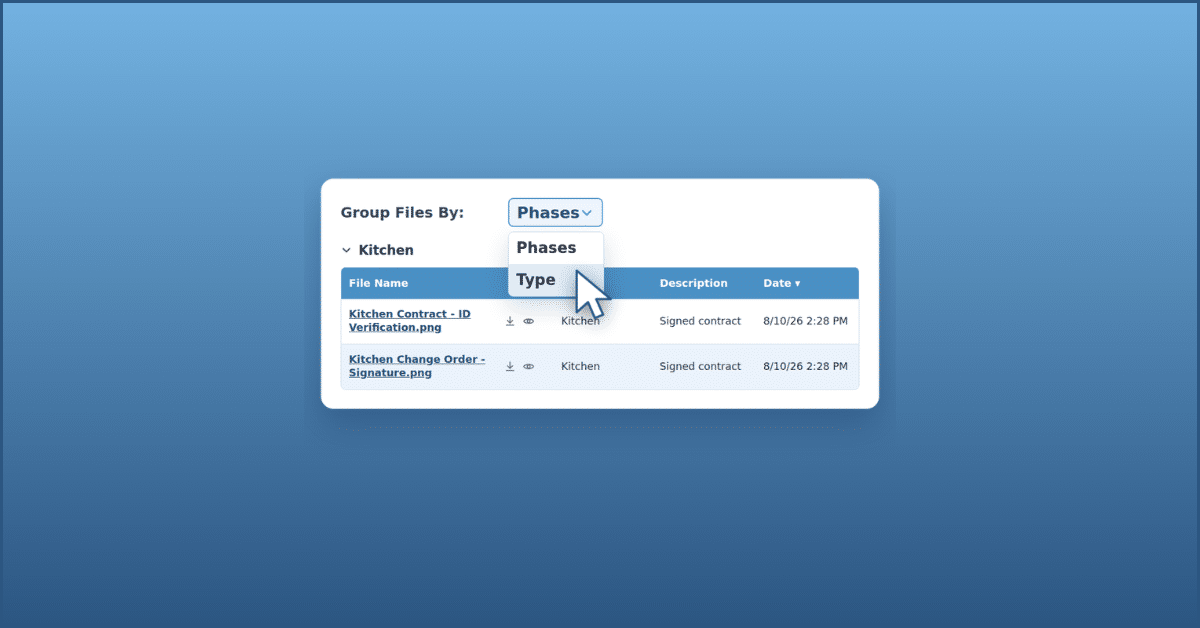
- Files can be grouped by phase, type, or the user’s own custom value.
- Each group expands, collapses, and sorts on its own.
- A new gallery view lets users flip through photos and files in order with previous and next arrows.
The changes roll out later this month in the Files section of every job in Systemize, across all editions and at no additional cost. No setup or additional configuration is required, and existing files stay as they are. Familiar workflows also stay the same. Files still sort alphabetically by default, and users can click any column header, including Date, to re-sort. The View File icon still opens each file in its own browser tab, and downloads work exactly as before.
Moraware customers can learn more by visiting our knowledge base or joining a live walkthrough webinar on Wednesday, October 28th at 9:30am PT / 12:30pm ET.
See it live: Join our walkthrough webinar on Wednesday, October 28th at 9:30am PT / 12:30pm ET. We’ll show multi-file upload, grouping by phase, type, or your own custom value, and the new photo viewer, plus tips for your biggest jobs. Save your spot
Got feedback? Tell us what you think of the new update here.
Knowledge Base LinksReady to try it? These step-by-step guides walk through every part of the update. Start here
Adding files to a job
Finding and using files
Setting up file types (admins)
|