Are Your Countertop Installers Leaving the Shop Without the Right Documents? Let’s Fix That
If you’re running a busy countertop shop, you may be experiencing the pre-install scramble. Your installer is heading out at 8 a.m., and someone is still printing the job drawings, digging up the site photos, and tracking down the sign-off form, one document at a time, for every single job. Multiply that by 20, 30, or 50 jobs a week, and it becomes a headache. As your shop grows, making sure your team has the right information at the right time can be a challenge. One missing document and your crew arrives unprepared, your customer is unhappy, and your shop’s reputation takes a hit.
Systemize’s Activity Packets provide your install teams, subcontractors, and field staff with the exact job information they need. It’s a feature that shops really appreciate once they start using it. Our recent webinar describes how Activity Packets are saving shops time and effort when crews head out the door. You can watch the full webinar on-demand or read the summary and tips in this blog.

What Are Activity Packets?
An Activity Packet is a predefined, reusable bundle of documents that prints together with a single click. Instead of opening each job and manually locating and printing every attachment, you build a packet template once, and Systemize does the rest every time you need it.
Think of it as a custom job folder your shop defines in advance: the exact right documents, in the right order, every time, for every job on the calendar.

What Can Go Into a Packet?
This is where Activity Packets get powerful. Systemize lets you pull in a wide range of information from across each job:
Activity details – The specifics of a scheduled activity: notes, assigned team members, date and time, and if you’re using Moraware Inventory, allocated slabs tied to that activity. This is ideal for shop packets where your fabrication team needs to know exactly which material is assigned to a job.
Job forms – Any custom forms attached to the job itself. These can include cut sheets, measurement details, customer information, and special instructions.
CounterGo drawings – If you have CounterGo, you can pull in CounterGo layouts and drawings directly into a packet for your installers and templaters.
Job files and images – These can include slab photos, site photos, pre-install pictures, filtered by file type so you only include what’s relevant. For example, you might set your installation packet to pull in pre-install photos but exclude signed contracts.
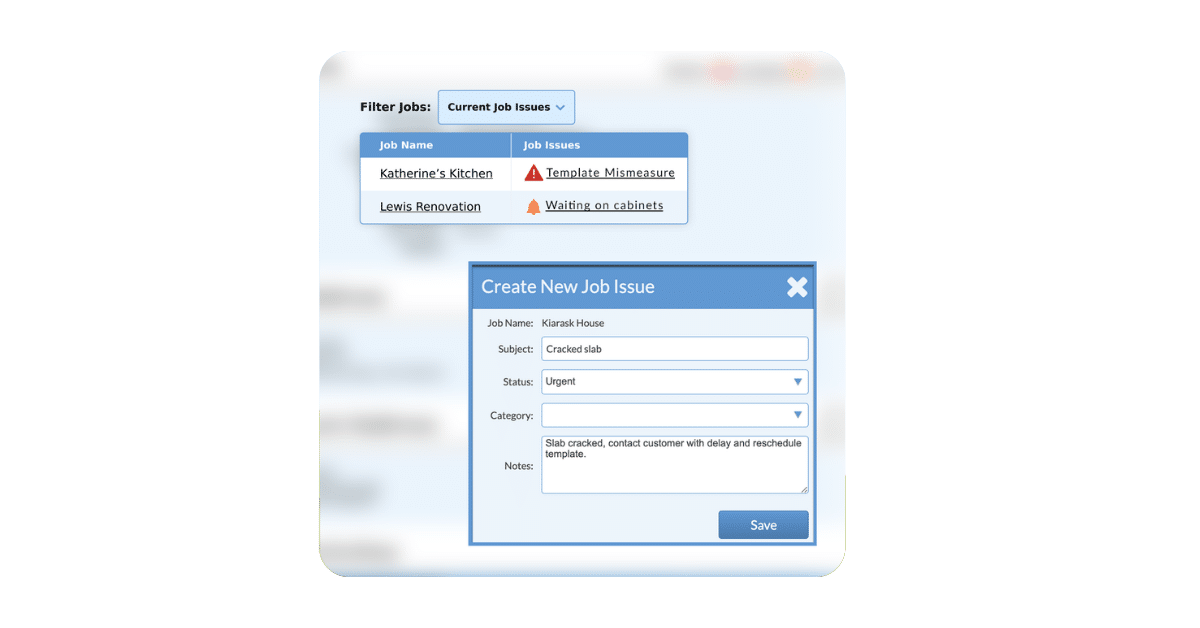
Issue forms – If a job has any flagged issues in Systemize, you can surface those in the packet automatically so your team knows what they’re walking into before they arrive on site.
Activity forms (non-job-specific content) – You can add documents that should go with every job of a certain type, like an installer checklist or a customer sign-off sheet, without attaching that document to every individual job record. Build the form once in your activity forms library, add it to the packet template, and it prints with every job automatically.
Here is a sample packet so you can view what can be included. You can even include checklists such as this loading checklist below.

Common Packet Types Used by Fabricators
Most shops end up creating three or four reusable packets that cover the core workflow:
Template Packet – Designed for your templating crew. Typically includes activity details, layout drawings, and any relevant job notes or special considerations for the measure appointment.
Shop/Fabrication Packet – Built for your production team. Includes cut sheets, customer drawings, allocated slab information, and any shop drawings or special fabrication instructions.
Installation Packet – The most-used packet in many shops. Includes activity details, drawings, pre-install site photos, customer information, and an installer checklist or sign-off form your crew can hand to the homeowner.
General Packet – Some shops create a catch-all packet that pulls core job information from any activity. Useful when you want flexibility or are just getting started.
The beauty of packet templates is that you set them up once in Systemize’s settings, and they’re available every time you need them. In a previous Systemize webinar, Systemize Power Play: Maps and Managing Install Teams, Kari Chalmers, co-owner of Humboldt Countertops and Surfacing spoke about how her team uses activity packets to stay organized and adapt quickly as their business grows:
“We actually have a template packet and an install packet, and it’s very helpful, especially with how quickly you can change things in Systemize. Say we need a new checkoff list, or something comes up and we need people to record their fuel or mileage. You can make a change and add a form right into those packets. And as new people come on, they don’t have to remember exactly what gets printed out, they’re just clicking the button.”
Two Ways to Print: From the Job or From the Calendar
Printing from a Job – If you need a packet for a single specific job, head into the job detail view, click the print icon, select your packet, and print. It’s that simple.
Printing from the Calendar – This is where Activity Packets are a real time-saver. From the calendar view, click the print icon and select your packet type. You can print packets for all jobs on a given day, or filter by who is assigned. So if installer Bob has three jobs today, you can pull up only his install packets and hand him exactly what he needs.
Going Paperless? You Can Still Use Packets
Activity Packets are print-ready by design, but they’re not print-only. From the print preview, you can download the packet as a PDF and email it directly to an installer, subcontractor, or anyone else who needs it.
This makes packets a practical bridge to paperless operations: your field staff gets everything they need in one organized PDF to their phone or tablet, and your office stops chasing down who has what.
Why This Matters for Your Shop
The real value of Activity Packets isn’t just time savings, though saving 5–10 minutes per job across dozens of jobs a week adds up fast. It’s the consistency. When your packets are predefined, every installer gets the information they need on every job. No one goes out without the drawing or forgets to bring the sign-off sheet. No one shows up to a job not knowing there’s an open issue that needs attention.
As your shop scales with more crews, more subcontractors, more jobs per week, that consistency helps your operations run smoothly. Activity Packets are a small setup investment that you and your crews will benefit from every single day.
Getting Started
Activity Packets can be set up in Systemize under Settings. From there you can build your packet templates, define which forms and files to include, and filter by file type to control exactly what goes in and what stays out.
If you’d like help setting up packets that fit your specific workflow, Moraware’s support team would be happy to assist. You can book a call directly from the Help section inside Systemize.
Your crew is in the field every day. Make sure they always have what they need before they pull out of the parking lot.
Questions? Reach out to your Moraware Customer Support or watch the full webinar recording for a step-by-step walkthrough. There is also detailed information in the Knowledge Base. Curious about Systemize? Get more information about it here: Systemize Job Scheduling and Tracking |