Quote price details

We released a new update to CounterGo.

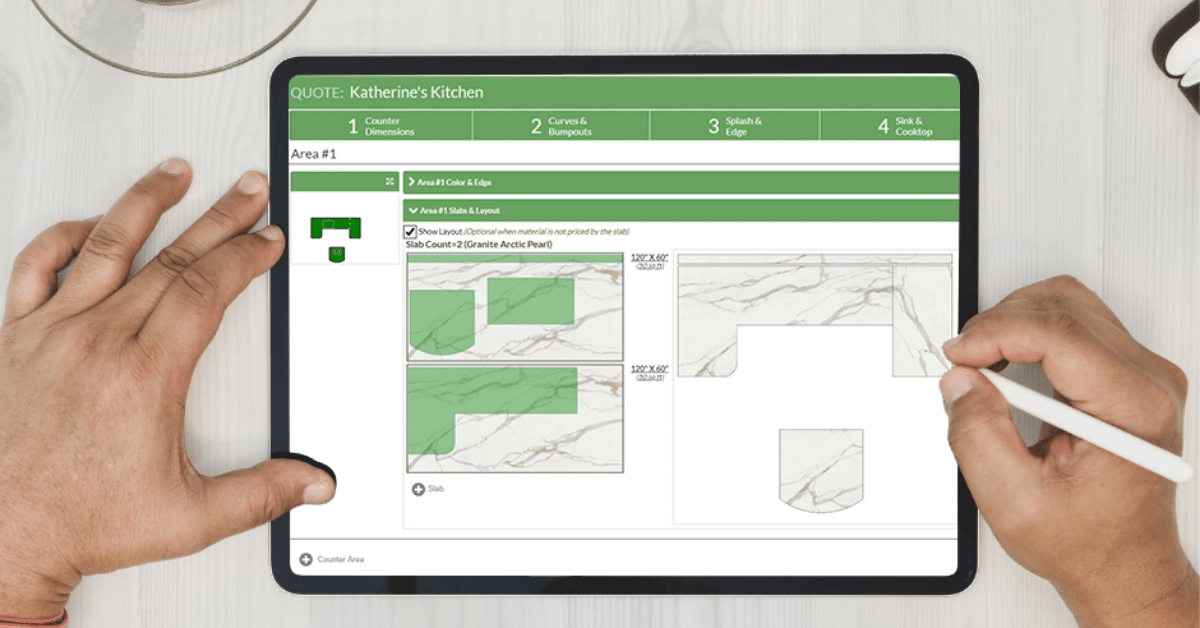
When editing a CounterGo quote, step 6 now shows the price details. Previously step 6 was for other items, and you got to price details through a small link at the top of the page. To add other items to the quote, click the “Add Other Item” link near the bottom of the price details page.

We renamed countertop “Group” to “Area”, to remove the confusion with color groups.

Other items are now added to the countertop area subtotal by default. Previously they were in their own section on the quote with their own subtotal. If you still want it the old way, you can set the area for the other item to “None”. But most people were asking to have them merged together.

We also fixed a few bugs:

  • Fixed the label for Expiration Date when filtering the list of quotes.
  • If you use Chrome browser, sometimes the scrollbar would disappear when editing the layout.
  • If you create a recurring appointment in the JobTracker calendar for every 3rd Saturday, it would skip too many weeks between appointments.

Want to know more? At Moraware, we make software for countertop fabricators. CounterGo lets you draw, estimate, and layout countertops in just minutes. JobTracker is scheduling software that helps you eliminate the time you waste looking for job folders. RemnantSwap is a free place to buy and sell stone remnants with fabricators near you.

Drawing a batwing countertop

One of the questions we’ve been getting from fabricators looking at CounterGo for the first time is “How do I draw a batwing?” Here’s how.

First, draw the countertop with regular 90° corners, like this:

Then, click on the corner (where it says 90°), and either choose the angle you want from the drop-down list or by dragging the symbol. Like this:

You’ve got one corner at a 45° angle.

Now, repeat that for the other corner, and you’ll have a batwing. You can make other shapes that have 45° angles, too. (or 22.5° or 67.5°)

Want to know more? At Moraware, we make software for countertop fabricators. CounterGo lets you draw, estimate, and layout countertops in just minutes. JobTracker is scheduling software that helps you eliminate the time you waste looking for job folders. RemnantSwap is a free place to buy and sell stone remnants with fabricators near you.

Get started faster

The latest CounterGo update makes it easier to get started. When you first login, you can start creating a quote immediately. A Retail price list is generated automatically with some standard granite colors and edges.

All price lists now have all items pre-defined, such as radius corners, bump-outs, etc. So it will be simpler and faster to get your pricing setup.

We also simplified the override price dialog on the price details page. This makes it faster to change the prices on a quote.

When you print or email your first quote, if you haven’t customized the printable form, you’re prompted to update the company name & address in the header. You don’t have to customize the form until you want to make more substantial changes.

If you add large blocks of text to your printed quote form, they will now wrap to additional pages if they don’t fit on one page. This is useful for printing terms, disclaimers, contracts, etc.

Want to know more? At Moraware, we make software for countertop fabricators. CounterGo lets you draw, estimate, and layout countertops in just minutes. JobTracker is scheduling software that helps you eliminate the time you waste looking for job folders. RemnantSwap is a free place to buy and sell stone remnants with fabricators near you.

Labeling edges on drawing

When you print a CounterGo quote, the drawing now shows symbols on the edges. There’s a legend below the drawing showing what symbol maps to each edge. On the price list you can select an image for each finished edge, and that image will show in the legend of the drawing.

We moved the “update to latest price list” link to the right side of the page. That makes it easier to find, and is available from any tab while editing the quote. If a new price list revision is created while you’re in the middle of editing a quote, the message will automatically be displayed.

It’s now easier to see who changed a quote or price list. When viewing either one, the user name and timestamp is displayed at the top of the revision. And if you click the “Select Revision” button, a table displays with all the revisions, who created them, at what time, along with the notes.

We also made a few changes to the way quotes and price lists are saved. There’s no longer a button to save a draft. And when you click the save button the page goes back to view mode, rather than staying in edit mode. That should reduce a lot of confusion we were hearing from users.

When you edit a price list, the page now opens in edit mode directly, rather than having to go through the extra step of clicking the edit button.

And we’ve fixed a few bugs:

  • Overriding the price on a clipped corner now works
  • If you override the price of an appliance edge, the no price message now goes away
  • Fixed problem wrapping text on printed quote when there were some special characters in the text

Want to know more? At Moraware, we make software for countertop fabricators. CounterGo lets you draw, estimate, and layout countertops in just minutes. JobTracker is scheduling software that helps you eliminate the time you waste looking for job folders. RemnantSwap is a free place to buy and sell stone remnants with fabricators near you.

3 things we learned at Microconf 2012

At the beginning of May, we went to Microconf – a conference for people building software companies with their own time, money, and real customers. Thanks again, Rob & Mike, for organizing! It was awesome, and we’re looking forward to next year.

Right after the conference, we hashed out the key items we’re going to work on. Part of this is juggling our priorities, and some was just working out the details based on what we learned. Here’s what we’re doing:

Plan your customers’ first 5 minutes

…like the battle of Normandy. Monday night, Dan Martell talked to Ted about how he’s trying to reduce the time between a customer signing up and the “Aha moment” for his latest product. He thinks it’s been critical for every company he’s built. Then on Tuesday, Patrick McKenzie underscored the importance – the first 5 minutes are the opportunity to really shine and make a huge impact on how much your software gets used.

So, for CounterGo, we mapped out the initial experience. It turns out it was pretty awful, involving lots of trips between various screens and almost no context on how to navigate. So we concentrated on how you go from saying “yes, I’ll buy it” to actually being able to produce a valuable countertop drawing and quote.

We questioned everything that took time or was confusing and ended up changing the user experience pretty radically to achieve a much easier first experience. While we were at it, we cleaned up lots of other small details that were adding to our support cost and frustrating customers.

Hire with care, but hire.

One of the main questions we’d hoped to answer at Microconf was how to get more done and continue to build our company. We came in with an open mind – our hypothesis was that we need to hire another developer who’s as awesome as Derek (the guy who does most of the development at Moraware).

Rob and Mike talked about how they use outsourced developers, and virtual assistants. I was really hoping to get an epiphany about how we could do that, but I don’t think it’s the right model for us.

I quizzed Peldi and Hiten about how they get great employees. They’ve already got an audience of developers, so they can find folks. But even for them, it’s a grueling process. They both run distributed teams, so they’re have some of the constraints we do – we need someone who’s experienced, trustworthy, motivated, and able to work without a central office or day-to-day supervision. Also, having them match our “company culture” is a big deal.

I have a feeling we’re also going to be tapping our network of friends in the software business (Rob, Mike, Justin, Jason, Patrick… I mean you) to help us get the word out so we can find an awesome developer.

Build more systems

We’ve been notoriously slow at building efficiency into our own systems. For the whole history of Moraware, we’ve spent our development on building customer features. And although we’ve made some small investments in automating our internal systems, it’s really hard to pull time away from things your customers are asking for.

One of the first things that helps our own efficiency is the 1st 5 minutes of the CounterGo experience that I talked about before. In addition to making our customers happier faster, it also means we make our jobs easier, too. We’re also going to deal with billing in a more automated way. And especially after hearing Adii’s story – getting hacked – we’re going to continue to invest in our servers. Even though we’re already obsessive about it, we’re going to kick it up a notch.

Thanks again to Mike & Rob for planning Microconf, all of the sponsors who helped make it possible, and all of the other attendees – having 2 days of non-stop business conversations is an awesome learning experience!

Want to know more? At Moraware, we make software for countertop fabricators. CounterGo lets you draw, estimate, and layout countertops in just minutes. JobTracker is scheduling software that helps you eliminate the time you waste looking for job folders. RemnantSwap is a free place to buy and sell stone remnants with fabricators near you.

Appliance edge and printing images

There are a number of changes to CounterGo this week. The first is the addition of appliance edge on the drawing. This allows you to specify a flat polished edge next to the stove or fridge. When editing a quote, click on step 3, click on the edge and select appliance edge, rather than finished, unfinished or splash. You can specify the price of appliance edge on the price list, just below the finished edge prices.

When you create a new CounterGo quote for an account, you can now assign a price list to that account at the same time. That saves you the step of first assigning the price list to the account before creating the quote.

You can now print images attached to custom fields on the CounterGo quote. Most people use this to print a picture of the edge on the quote. (Note: We plan to have an even better answer for edge images in the near future, so stay tuned.) To print the images, you first need to have a quote custom field defined under the Quote Settings >> Custom Fields tab. The field should be a “list of values” data type, with the option selected for “Attach an image to each value.” Then you can add this field to your quote form under the Quote Settings >> Forms tab. Edit the field and choose the image placement option for whether to show the image above/below/left/right of the text.

There are also a few minor items and bug fixes:

  • Items with really long names now wrap to the next line when viewing the price details.
  • If your quote is very long, the quote lines will wrap to the next page when printing.
  • Moved the position of “Other Splash” on the step 3 context menu.
  • Renamed “Edge Profiles” to “Finished Edge” on the price list.
  • Changed the default measurements when adding a bump-out on drawings with millimeter units.
  • When editing the measurements of a slab on the layout, can now hit enter to submit the dialog.
  • Fixed printing some .gif logo files that weren’t showing up before in the quote header.
  • Fixed showing the Page Styles tab on the JobTracker system settings.

Want to know more? At Moraware, we make software for countertop fabricators. CounterGo lets you draw, estimate, and layout countertops in just minutes. JobTracker is scheduling software that helps you eliminate the time you waste looking for job folders. RemnantSwap is a free place to buy and sell stone remnants with fabricators near you.

SL Laser in Charlotte, NC

Last year, we were at a trade show exhibiting right next to SL Laser, a company that produces lasers for projection and measurement in the countertop, woodworking, and aerospace industries.

They were telling us about how their company is dealing with growth, and how their own sales and support systems were getting overwhelmed.

They had a complex set of Excel spreadsheets to track the status of service and interaction with customers. While it was okay, they were hoping for something more. We showed them how we use Moraware JobTracker internally for managing our sales process and keeping up with our customer support.

Since 2011, JobTracker has really helped by putting all of their customer information into a single easy-to-use database. I was lucky enough to visit their North American headquarters in Charlotte, NC, where they take care of sales, marketing, training, and support.

I was really impressed by their training room – it’s equipped with mock kitchen and staircase on one wall, and a video camera and big-screen television on the other. Scott McDonald showed me how they can walk a customer through training or help them with a specific issue by using this setup.

I also got to see the areas where they repair and maintain their laser machines. My favorite bin in the shop was filled with Xbox controllers, which they actually use as the control for some of the projection lasers in aerospace applications and can even be used as a backup controller on their measurement lasers.

Thanks to Scott, and everyone else, who showed me around SL Laser. It’s really cool that our scheduling software can be used by such a wide variety of companies.

Want to know more? At Moraware, we make software for countertop fabricators. CounterGo lets you draw, estimate, and layout countertops in just minutes. JobTracker is scheduling software that helps you eliminate the time you waste looking for job folders. RemnantSwap is a free place to buy and sell stone remnants with fabricators near you.

Countertop Pricing Details

When you print a CounterGo quote you can now choose how much pricing detail to show the customer. There are four options to choose from:

  1. Show the price of every line item
  2. Show the subtotals for each group of countertops
  3. Show just the grand total
  4. Show no prices at all

The last option is useful for printing a shop ticket.

To change this setting, select the menu item Quote >> Edit Settings, click the Forms tab and edit the form you want to change. Edit the Quote Lines field and choose one of the four options.

When you create a new price list, you may need to assign it to many existing accounts. Now there’s an option just for that. When you view a price list, click the price list name and select “Add Price List to Accounts”. Check the account names to which you want to add this price list, and click OK. There’s another similar option to remove a price list from multiple accounts.

A third new feature on the CounterGo drawing is the ability to duplicate a counter. When you’re editing a quote you can click on a counter and select “Duplicate Counter” to add another copy of the same countertop.

Want to know more? At Moraware, we make software for countertop fabricators. CounterGo lets you draw, estimate, and layout countertops in just minutes. JobTracker is scheduling software that helps you eliminate the time you waste looking for job folders. RemnantSwap is a free place to buy and sell stone remnants with fabricators near you.

Cutting Edge Stoneworks in Mooresville, NC

Mike Giordano’s company flies under the radar. Their office and shop are hidden in the back of an unassuming office park. There’s almost no signage to let you know they’re there. But, this countertop fabricator in Mooresville, NC is really successful by not following the herd.

At Cutting Edge Stoneworks, they’ve achieved a growing, profitable company by focus on a single segment of the market – they exclusively do wholesale work. Many jobs are commercial work, but they also do residential kitchens and baths through dealers.

I really got the sense of how they have grown, despite the economic downturn, since they started in 2007. Both Mike and his wife Karen pay attention to their customers. To them, it’s a simple formula – tell the customer what to expect, and then do it.

While I was in their office, I saw it firsthand. Mike really cares about the quality of his products and the success of his customers. His passion and attention to detail comes across in everything he does. And his warmth and generosity with everyone around him is just as obvious.

I felt like part of the family being there, and that same feeling must rub off on all of their customers, suppliers, and partners.

Mike’s goal for the near future is to systematize their business even more, so he can spend time figuring out how to continue to grow in new ways. In addition to using Moraware JobTracker for scheduling and quoting, they’ve created a flowchart of their entire business. They have a process from the first interaction with a prospect, through the follow up after installation, and the ongoing contact with their customers to make sure they’re happy.

Oh, and they’re hiring. They’re looking for a customer service rep who who will be a key employee in their company.

Want to know more? At Moraware, we make software for countertop fabricators. CounterGo lets you draw, estimate, and layout countertops in just minutes. JobTracker is scheduling software that helps you eliminate the time you waste looking for job folders. RemnantSwap is a free place to buy and sell stone remnants with fabricators near you.

Countertop measurements

CounterGo rounds countertop measurements to 1/2″ by default. But there are some cases where a customer submits a drawing with 1/8″ meaurements, and you’d like to give them a quote that reflects the measurements they gave you. So there’s now a way to change the rounding precision on a quote.

When editing a quote, at the bottom of the screen click on Round to nearest 0.5″ and you can change the rounding to 1/4″, 1/8″ or 1/16″. If you want to change the default setting for all new quotes, you can change that by clicking on the menu item Quote >> Edit Settings, click the Edit Settings button and change the default rounding value.

If you’re working in millimeters rather than inches, the default setting is to round to 10mm. You can use the same method to change that to 1mm.

Want to know more? At Moraware, we make software for countertop fabricators. CounterGo lets you draw, estimate, and layout countertops in just minutes. JobTracker is scheduling software that helps you eliminate the time you waste looking for job folders. RemnantSwap is a free place to buy and sell stone remnants with fabricators near you.