Inventory issues rarely come from one big mistake, they come from constant small breakdowns at every step: not knowing what’s in stock, ordering too late (or too much), slabs arriving but never logged, materials used without being tracked, and remnants piling up out of sight.
Individually, these inventory problems feel manageable. Together, they create delays, confusion, and lost margin across your shop.
The root issue is that the workflow isn’t connected.
Moraware Inventory was built to tackle these problems. Fully integrated with Systemize, it connects your materials to your jobs so your entire team can see what’s in stock, what’s reserved, and what’s ready to use.
Understanding the Inventory Management Workflow
Here’s how that workflow looks like when it’s all managed in one system, from checking what’s on hand to creating a remnant after fabrication:
Check What Slabs and Remnants You Have on Hand
Before you quote a job, you need to know what’s available. Without a reliable system, that usually means walking the yard, asking around, or hoping the spreadsheet is up to date.
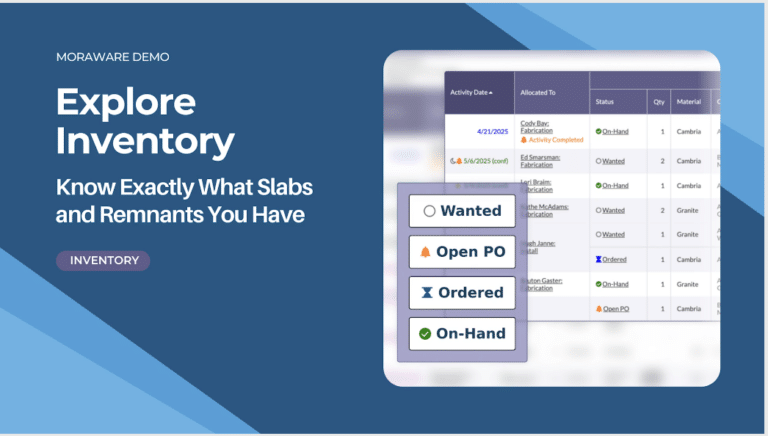
In Moraware Inventory, you get a real-time view of every slab and remnant that isn’t already committed to another job. You can filter by material, color, or status, and thumbnail images make it easy to identify remnants and odd shapes without leaving your desk. When you assign material to a job, it’s reserved immediately, so no one else can accidentally use it.
The win for your shop: Everyone is working from the same real-time information, preventing double allocation, reducing over-ordering, and eliminating wasted time walking the yard.
Order What You Need, Tied to a Job in Systemize
When the material isn’t in stock, the next step is ordering. In most shops that means juggling emails, spreadsheets, and supplier communication. This can lead to delays, missed details, and costly rush orders.
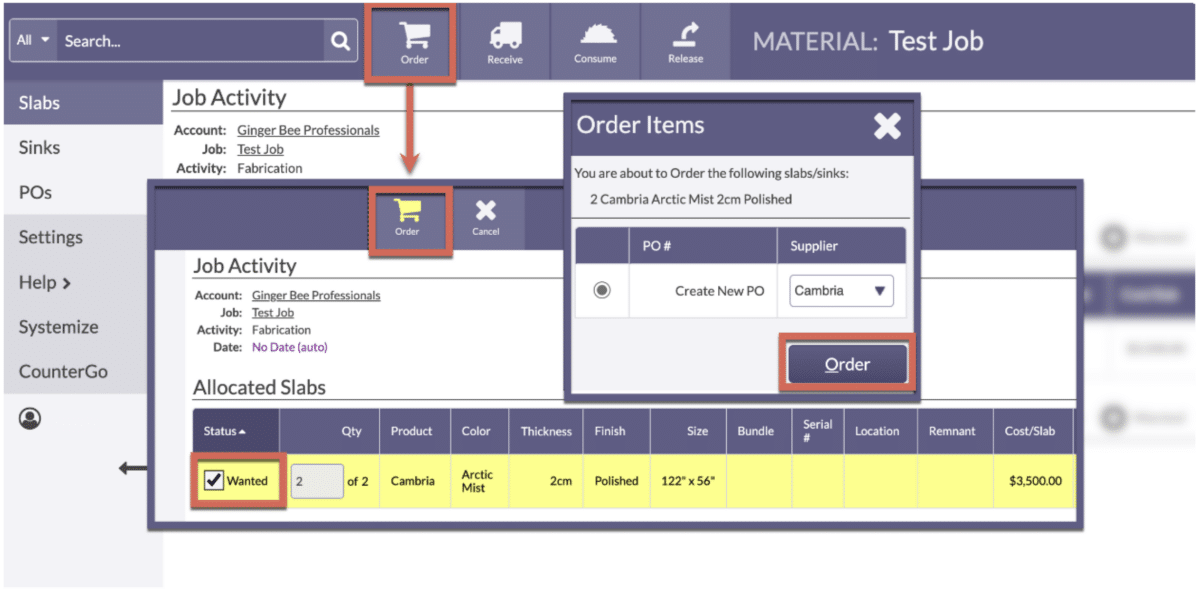
In Moraware Inventory, you create the purchase order directly inside the system. You specify material type, color, quantity, and cost per slab, choose from your saved supplier list, and add anything else going on the same order. Once it’s submitted, that PO is connected to the job and visible to everyone on your team. Because it’s all connected in one system, your team doesn’t have to chase down updates or check multiple places.
If you’re ordering for general stock rather than a specific job, that works too, you just create the PO without attaching it to a job and add material as needed.
The win for your shop: Ordering becomes predictable and controlled, helping you avoid last-minute rush fees, keep jobs on schedule, and stop tying up cash in unnecessary inventory.
Receive Slabs and Get Them into the System Right Away
A slab that arrives but never gets logged is practically invisible. It might sit in the yard for weeks before anyone realizes it’s there, or worse, it gets used without being tracked, and now your inventory doesn’t add up.
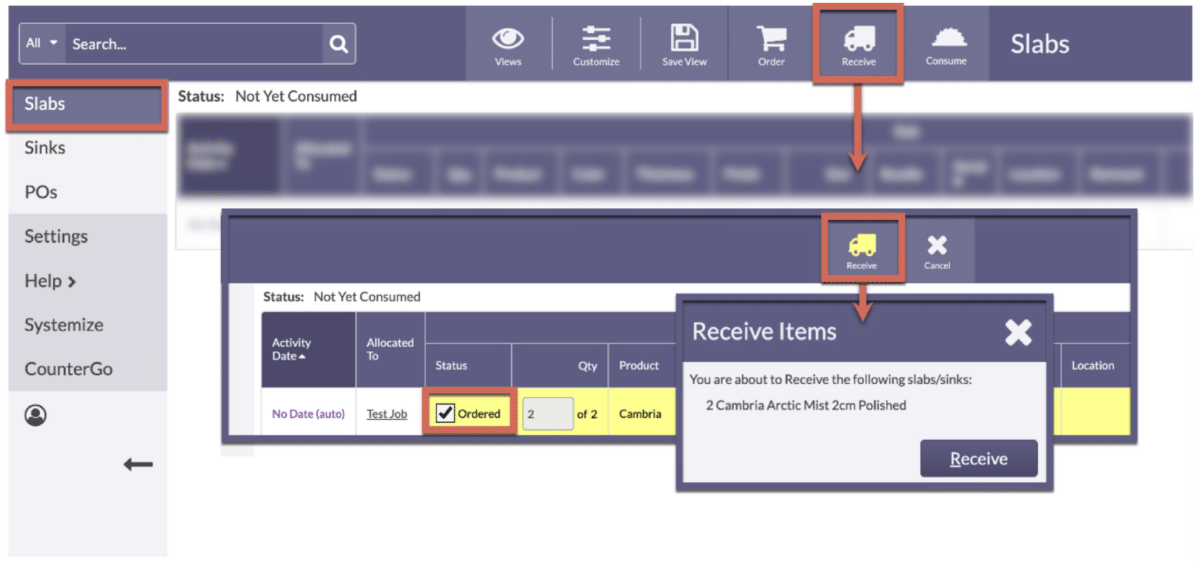
When material arrives, you receive it directly in Moraware Inventory: assign it to the right job, set a yard location, enter or auto-generate serial numbers, and print labels. From that point on, each slab is tracked individually by serial number while staying tied to its original bundle. Your whole team can see what’s been received, where it’s sitting, and whether it’s available.
The win for your shop: Nothing slips through the cracks. Every slab is logged, labeled, and visible from day one, so your team isn’t wasting time searching for material or missing what’s already on hand.
Track Material as it Gets Cut
Tracking what gets consumed at fabrication helps keep your inventory accurate. Shops that skip this step may experience slabs that were used still showing as available, lost slabs, or confusion about what’s still available.
In Moraware Inventory, fabricators can see the slabs allocated to a job (in Systemize) and mark them as consumed as they’re cut. If you don’t end up using everything that was allocated, you can remove the allocation without deleting anything from inventory, the slab just goes back into stock and becomes available for the next job. No manual adjustments, no re-entering data.
The win for your shop: Accurate inventory, fewer errors, and better use of every slab.
Don’t Let Remnants Disappear into the Yard
After fabrication, there’s almost always leftover material. In shops without a system, those remnants either get tossed, forgotten, or stacked somewhere in the yard where they can’t be easily found again.
Moraware Inventory makes it easy to capture remnants on the spot: record usable square footage, upload a photo (especially useful for L-cuts and odd shapes), and assign a yard location. Each remnant is saved as its own inventory item, linked back to the original slab and purchase order, and immediately available to show up when someone is checking what’s on hand for a new job.
The shops that are good about logging remnants consistently find ways to use them on smaller jobs such as vanities and repairs instead of cutting into a new full slab. Over time, that adds up.
The win for your shop: Turn leftover material into usable inventory—so instead of wasting or forgetting remnants, you reuse them on future jobs and increase profit without buying new slabs.
The Result: Your Inventory, All in One Place
When your team follows this workflow in a single system, you get a complete, real-time picture of your inventory without relying on spreadsheets, memory, or walking the yard.
You can instantly see:
- What material is on hand
- What’s reserved for jobs
- What remnants are available
- Where everything is located
- What still needs to be ordered
Sinks are tracked the same way, from ordering through installation, so all your material stays connected in one place. Built-in reporting also shows how much inventory you have and how much cash is tied up in it—making it easier to reduce excess stock and make smarter purchasing decisions.
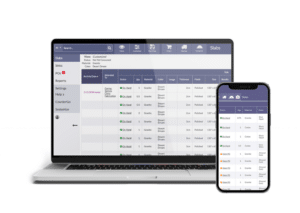
You can access Moraware Inventory from your desktop, laptop, or mobile device (anywhere you have an internet connection).
Ready to See It in Action?
If you want to see how Moraware Inventory works, schedule a demo with one of our experts. We’ll walk you through how it fits your shop and how you can start tracking slabs in real time, reducing waste, and protecting your margins.