If you’re using a Horus or Park slab scanner alongside Moraware Inventory, you no longer have to enter slab data twice.
Moraware now integrates directly with Horus’ Iris Slab Scanner and Park’s SlabVision (currently in early access) to automatically sync slab photos, dimensions, and remnant data into your Moraware Inventory records.
Already using Moraware Inventory? You know the workflow: receive slabs, assign serial numbers, allocate material to jobs, create remnants. This integration fits right into that process and adds a visual reference so your team can quickly identify materials without hunting through the shop.
We covered everything in our recent webinar, including a demo of the new integration and a Q&A session. Watch the recording here: Introducing Slab Scanner Integration for Moraware Inventory.
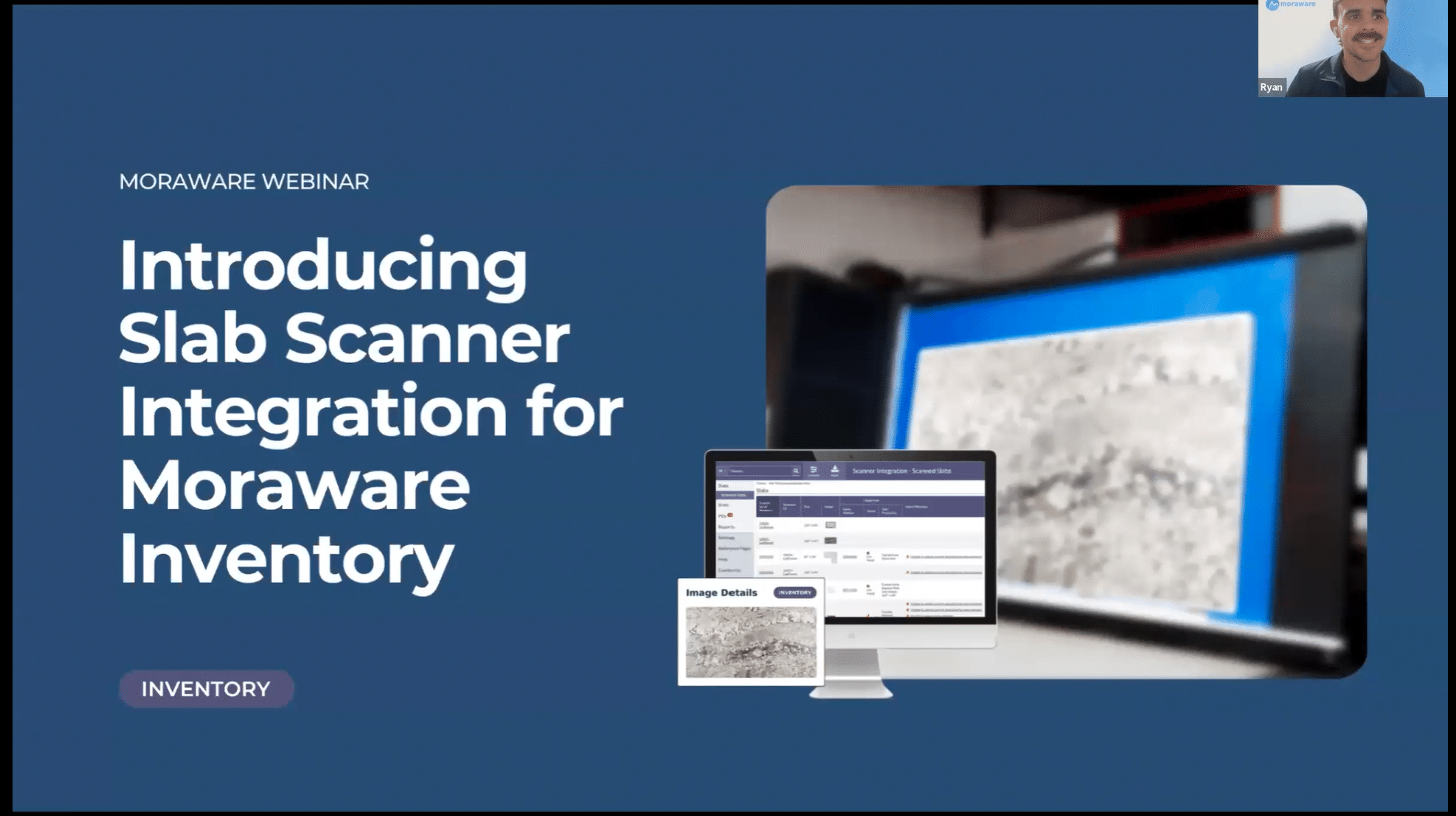
Here’s what the new Slab Scanner Integration with Moraware Inventory means for your shop and how to get it set up.
Which Scanners Are Supported?
Horus (Iris Slab Scanner) – Full integration, available now. Begin the setup in Moraware Inventory to request the API key. Then, use Horus’s Fusion Drive app to request the Moraware integration from their store. Once the API key is provided to Horus, complete the setup wizard in Moraware Inventory.
Park (SlabVision) – Currently in early access. If you’re a Park customer and want to be part of early access, contact the Moraware product team directly by filling out this form to join the early access program.
How the Integration Works
When a slab is scanned and the serial number matches a record in Moraware Inventory, three things happen automatically:
- Slab photos from the scanner pull into the inventory record, no manual upload required.
- Slab dimensions sync directly, so size data reflects what the scanner measured.
- Automatic remnant creation if you define them in your scanner’s layout software. Material, color, image, size, and a link back to the parent slab, all come in without anyone having to create a remnant record manually.
“Our hope is that this provides a faster, more accurate way to manage your slabs, with a visual confirmation and a reduction in duplicate data entry.” — Chelsea, Moraware Product Manager |
Accurate Remnant Inventory, Created Automatically
Manual remnant creation is one of the most commonly overlooked steps in an inventory workflow. A slab gets cut, the offcut goes into the yard, and the remnant record either never gets created or gets entered with rough dimensions a week later.
With the scanner integration enabled, if you’re using the Horus layout software to plan your cuts and define which piece is the savable remnant, that remnant is created in Moraware Inventory automatically when you save the layout. It comes in with:
- The scanner image of the remnant
- The remnant dimensions that were entered
- Material, color, thickness, and finish pulled from the parent slab and the scanner
- A direct link back to the parent slab record
The result: your remnant inventory is accurate and up to date, and your team can actually find and use those pieces on the next job that needs them.
Accurate Instant Image and Dimension Sync Via Serial Number Matching
The integration matches scanner data to Moraware inventory records using serial numbers as the unique identifier. When everything goes smoothly, it’s fully automatic.
If there is no match due to a mistyped number or a slab that was scanned before it was received in Moraware, those slabs show up in a new view as unlinked. From there, a team member with the right permissions can find the correct record and manually link it. Finding the right slab and linking it only takes a few minutes.
Important: The slab must exist in Moraware Inventory with a serial number before it’s scanned. Without that record, the integration will be unable to match the slab and image. For remnants, the parent slab must exist, but you don’t need to create the remnant record in Moraware. |
The Scanned Slabs view also shows import warnings for edge cases like a remnant that couldn’t be auto-created because a parent serial number was missing or a size value didn’t come through. These will be rare, but the view gives you a clear place to catch and resolve them.
Setting It Up: Five Steps
An admin in your Moraware account can enable the integration in Settings. For a step-by-step walkthrough, please consult our knowledge base on how to connect a scanner, or watch the recorded webinar, Introducing Slab Scanner Integration for Moraware Inventory.
After setup, update user permissions under Users & Roles to control who can view, manually link, or delete scanned slab data. Your inventory managers will likely need updated permissions to handle any unlinked slabs.
Q&A from the Webinar
I don’t have Moraware Inventory. How can I learn more about it?
You can get more information about Moraware Inventory on this page. Please reach out if you would like to see a demo. Don’t forget to include the people who are responsible for ordering, receiving, and consuming inventory for a tailored demo based on your existing workflow.
What about slabs I already have in my Horus or Park system? Can I bulk import these?
No. The integration is forward-looking. It works as you scan slabs that already have a matching record in Moraware Inventory, so slabs must be created in Moraware first. There’s no bulk import of historical scanner data.
Does inventory connect to a specific job?
Material is allocated to a specific activity within a job, which keeps it tied to the relevant date and workflow step. You can see the allocation both in the Inventory module and back in Systemize on the job page.
Can I add existing remnants that are already in my yard?
Yes, you can add existing remnants that are on hand. When adding, select “Remnant” in the size dropdown so they’re marked correctly.
Can I create labels for remnants?
You can print multiple identification labels or just one as needed for a particular remnant.
What does the scanner integration cost?
The only cost is $50/month for the API user account required to make the connection. There’s no additional charge for the integration itself, and no charge for generating new API keys. You can enable the integration yourself or our support team can help. No coding or third-party consultants required
Ready to enable the Slab Scanner integration?If you’re a Horus customer: you can access the knowledge base for additional information on enabling the integration. If you’re a Park customer: you can fill out this form to join the early access program. Questions? Reach out to your Moraware Customer Support or watch the full webinar recording for a step-by-step walkthrough. Curious about Moraware Inventory?You can get more details about how it works in this blog: How Slab Inventory Software Helps you Manage Slabs, Remnants, and Material Costs. |